Monthly budget
Alerts at 50%, 80% and 100% of your budget, so you see the squeeze before it hits.
Coming soon to iPhone
One budget, one home, everyone on the same page. Log expenses in seconds and watch them show up instantly on the phones of everyone you live with.
For iPhone · Português, English, Svenska

How it works
Set the monthly budget and pick your currency. Everyday categories are ready to go.
Share a 6-character code and you’re done. Everyone uses their own account on their own iPhone.
Every expense shows who paid. The dashboard answers “how are we doing this month?” at a glance.
Inside the app
Real app screens. Tap the buttons on the iPhone or pick a screen from the list.
Tip: the buttons on the screen work.
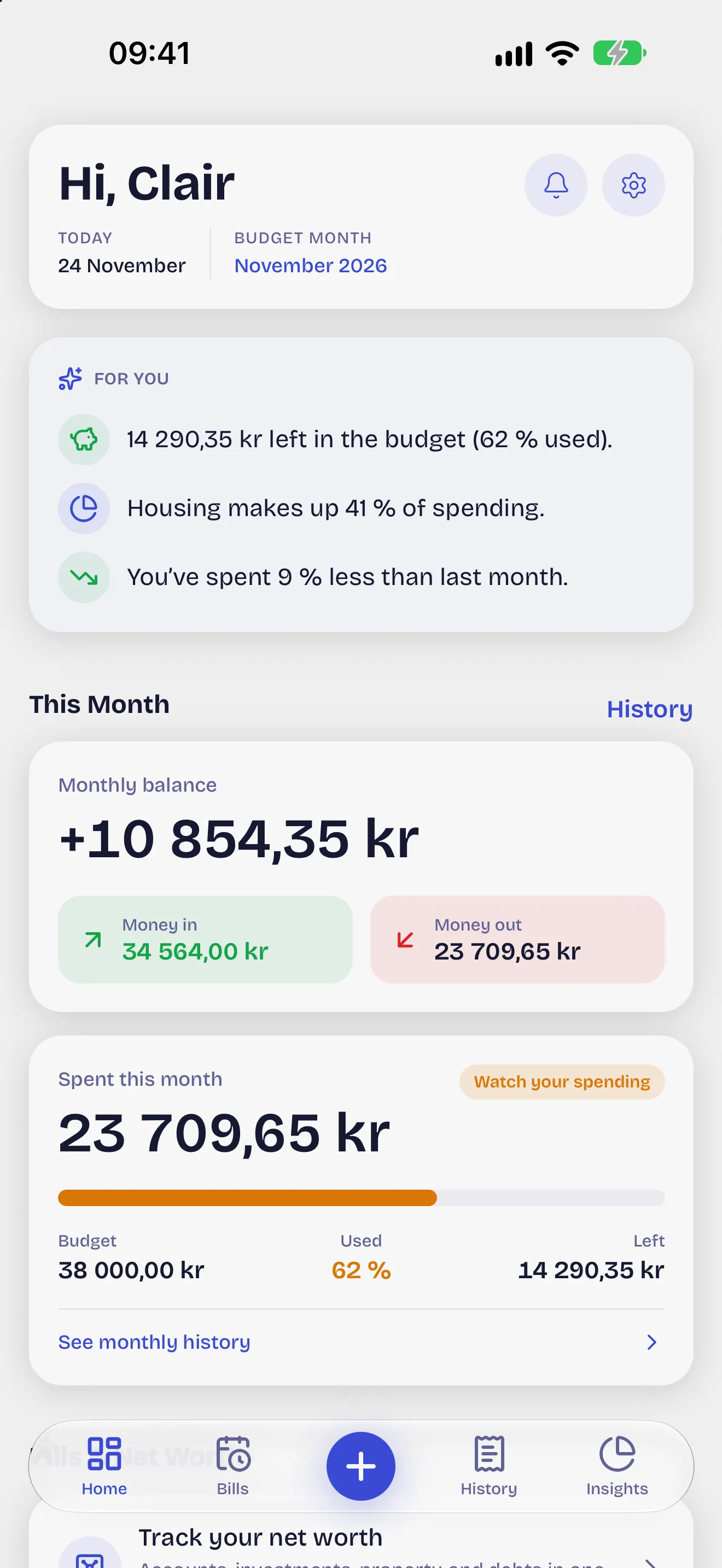
Monthly balance, budget and what needs attention, at a glance.
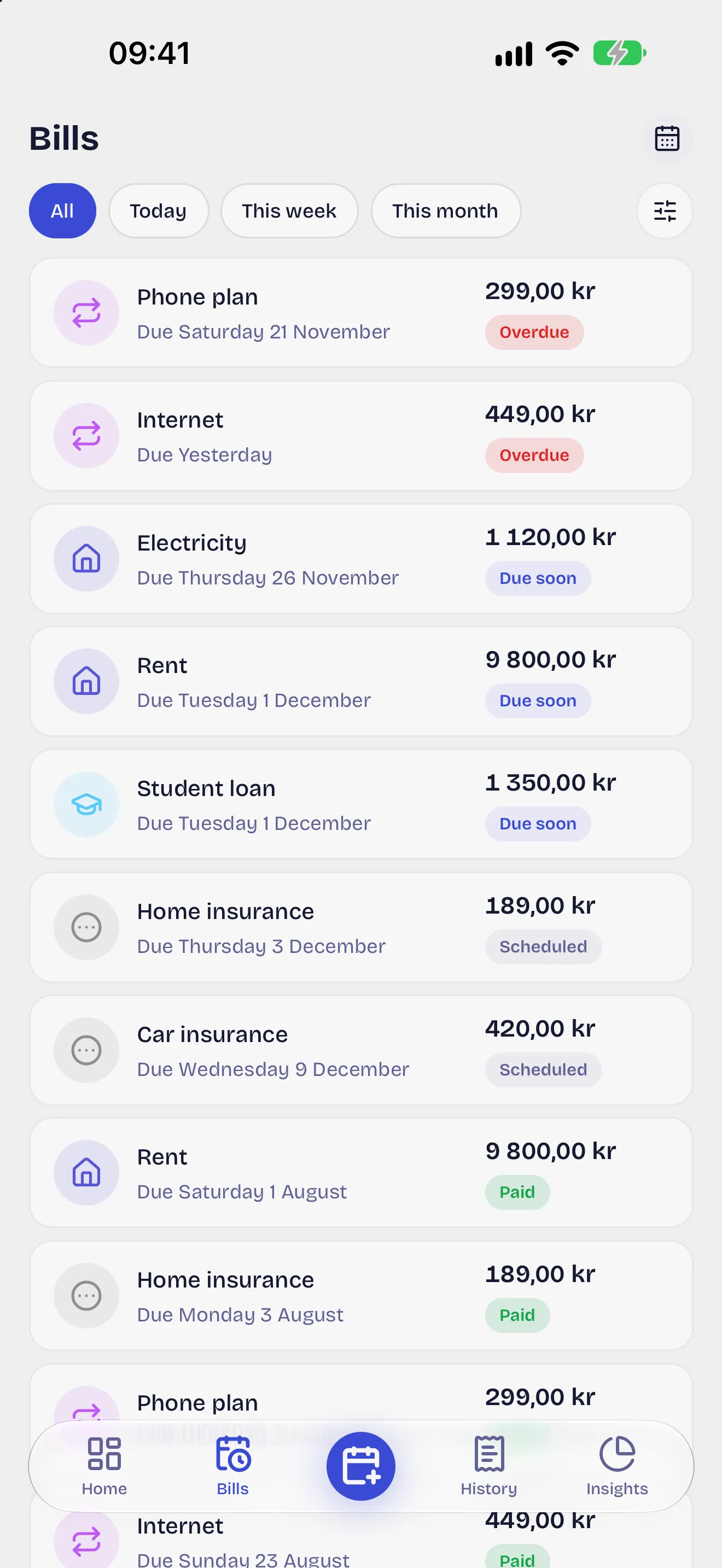
Upcoming, overdue and paid bills, with automatic recurrence.
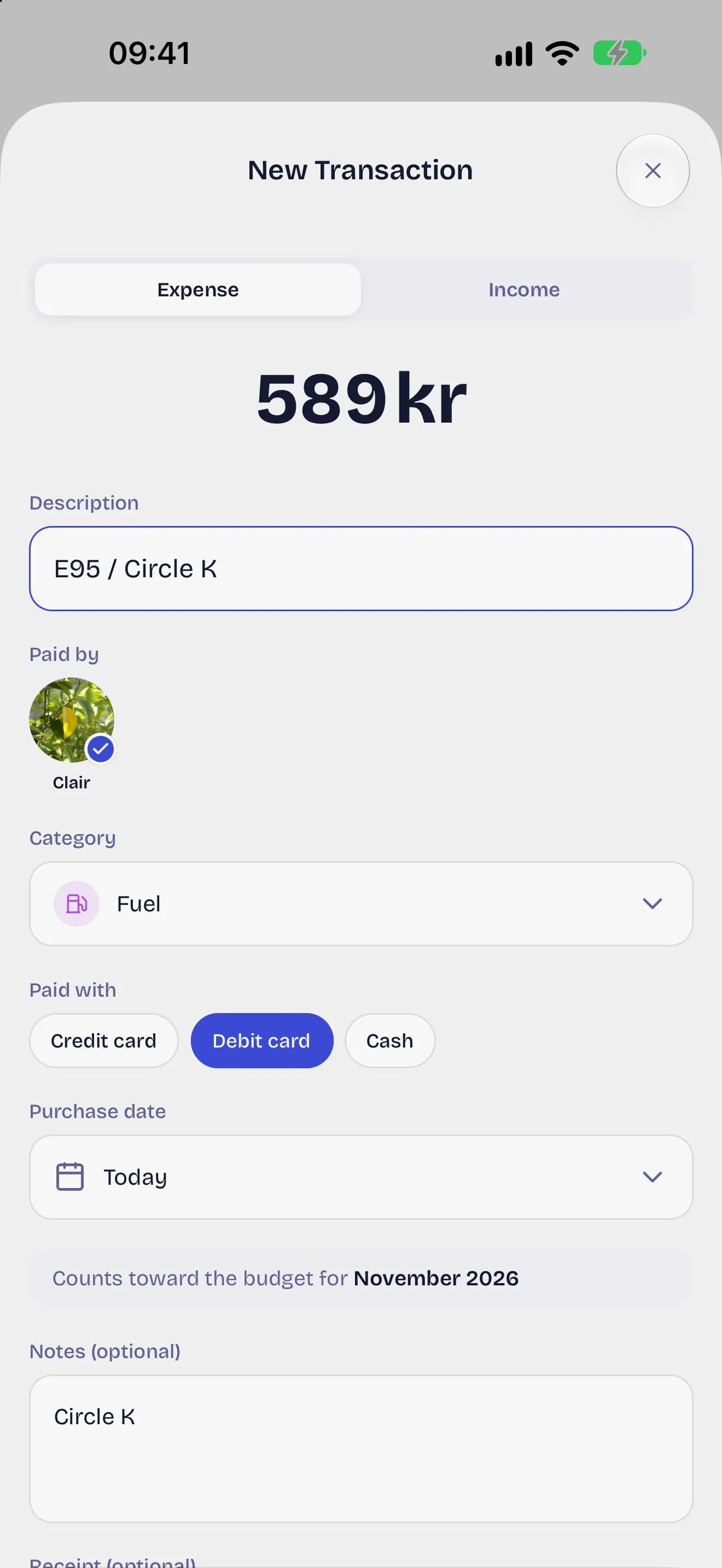
Amount, category and payment method in seconds.
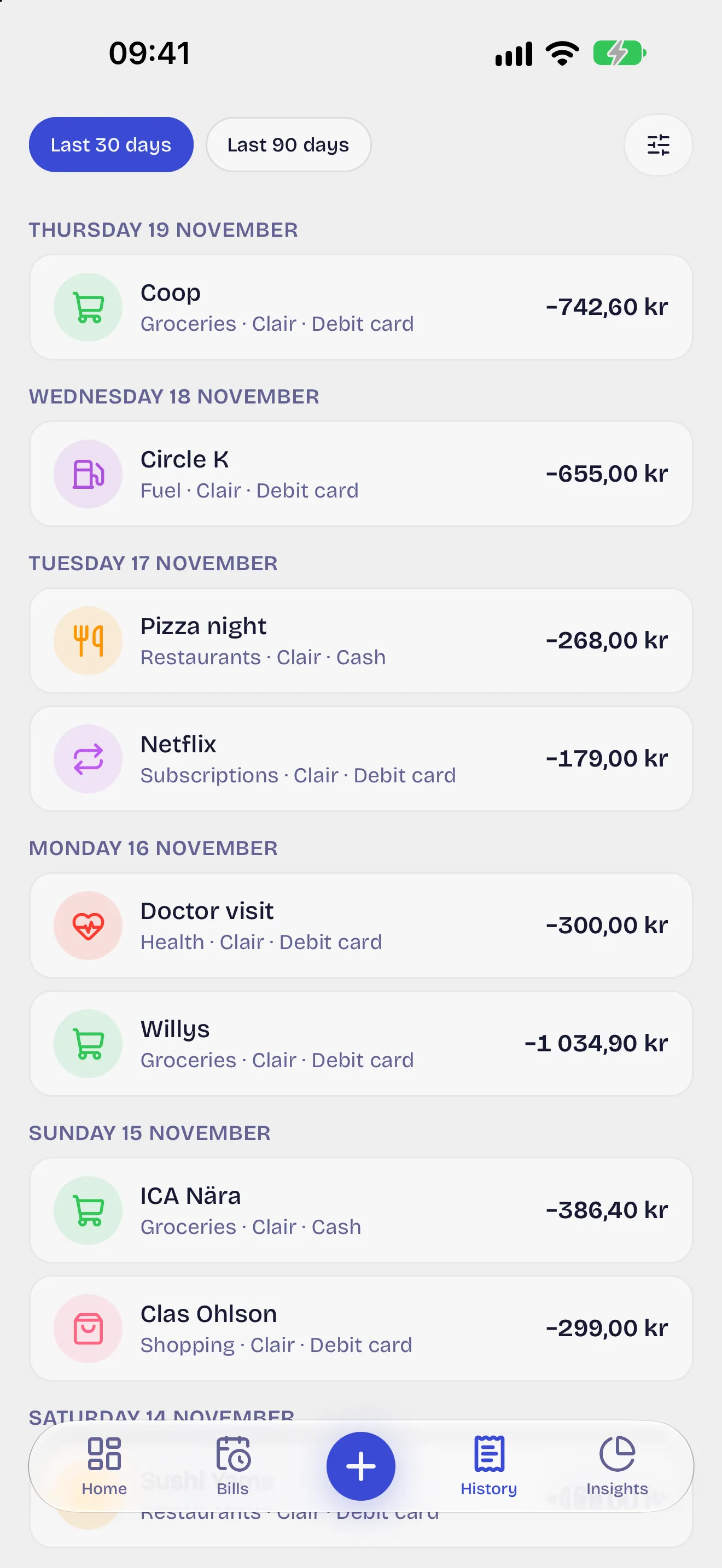
Every household transaction, day by day, with who paid and how.
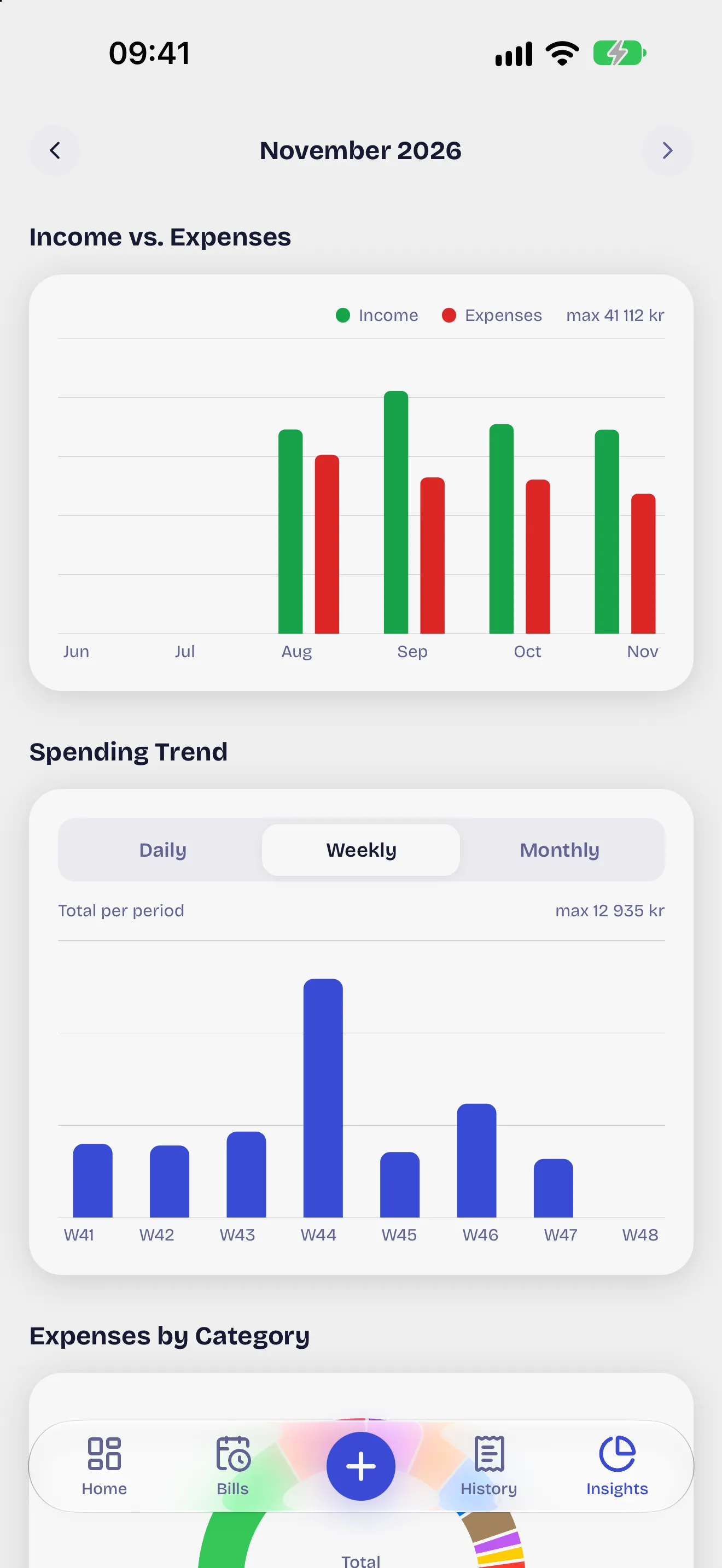
Income vs. expenses, spending trend and breakdown by category.
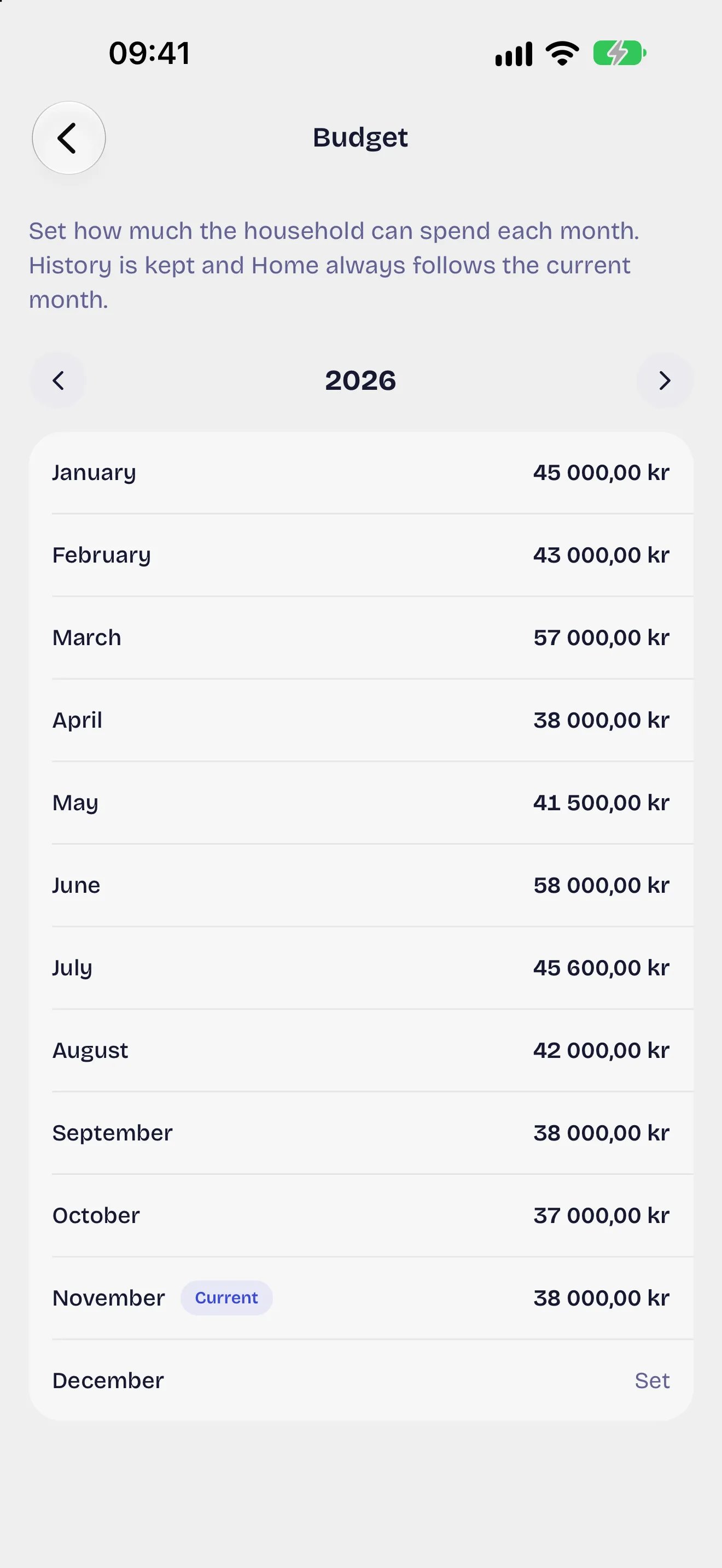
Set how much the household can spend each month of the year.
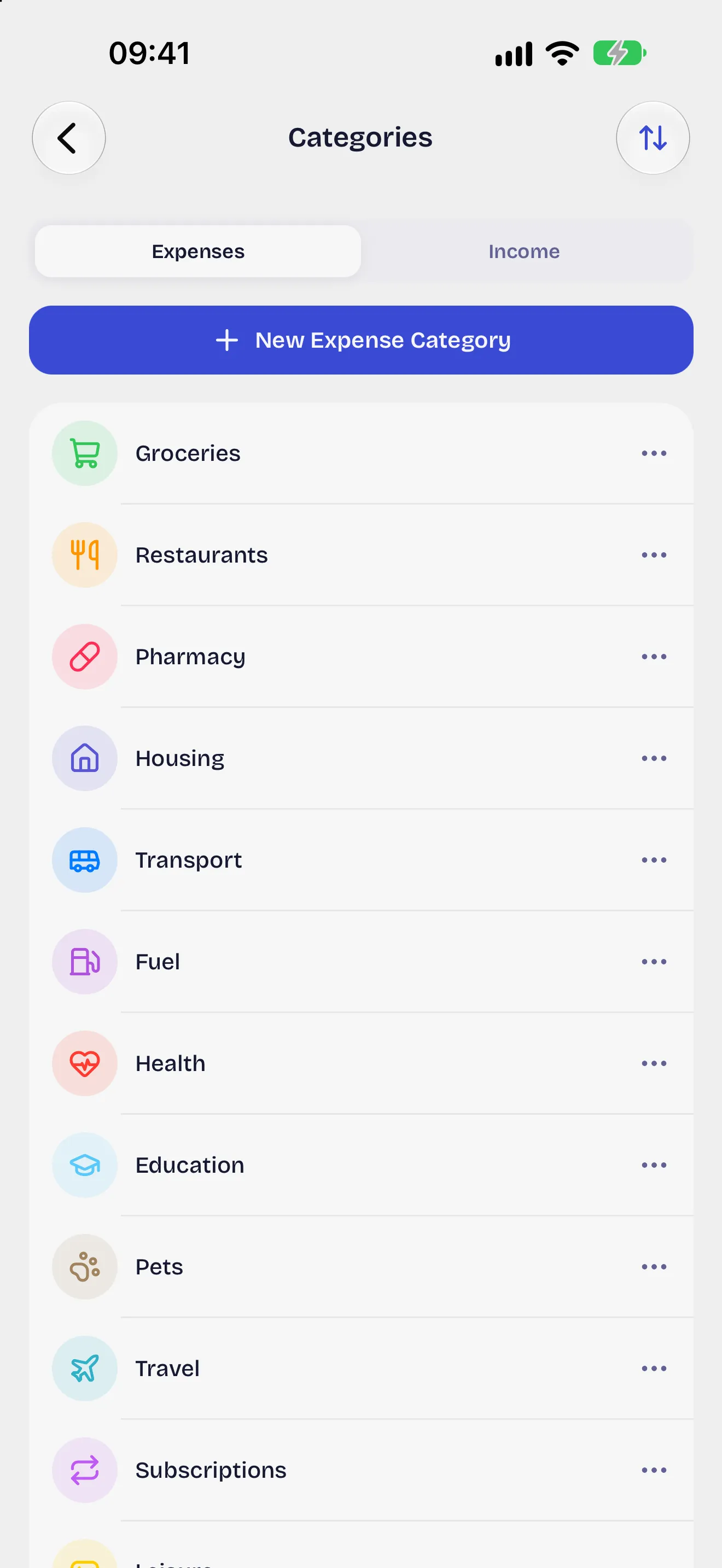
Expense and income categories your way: create, reorder and archive.
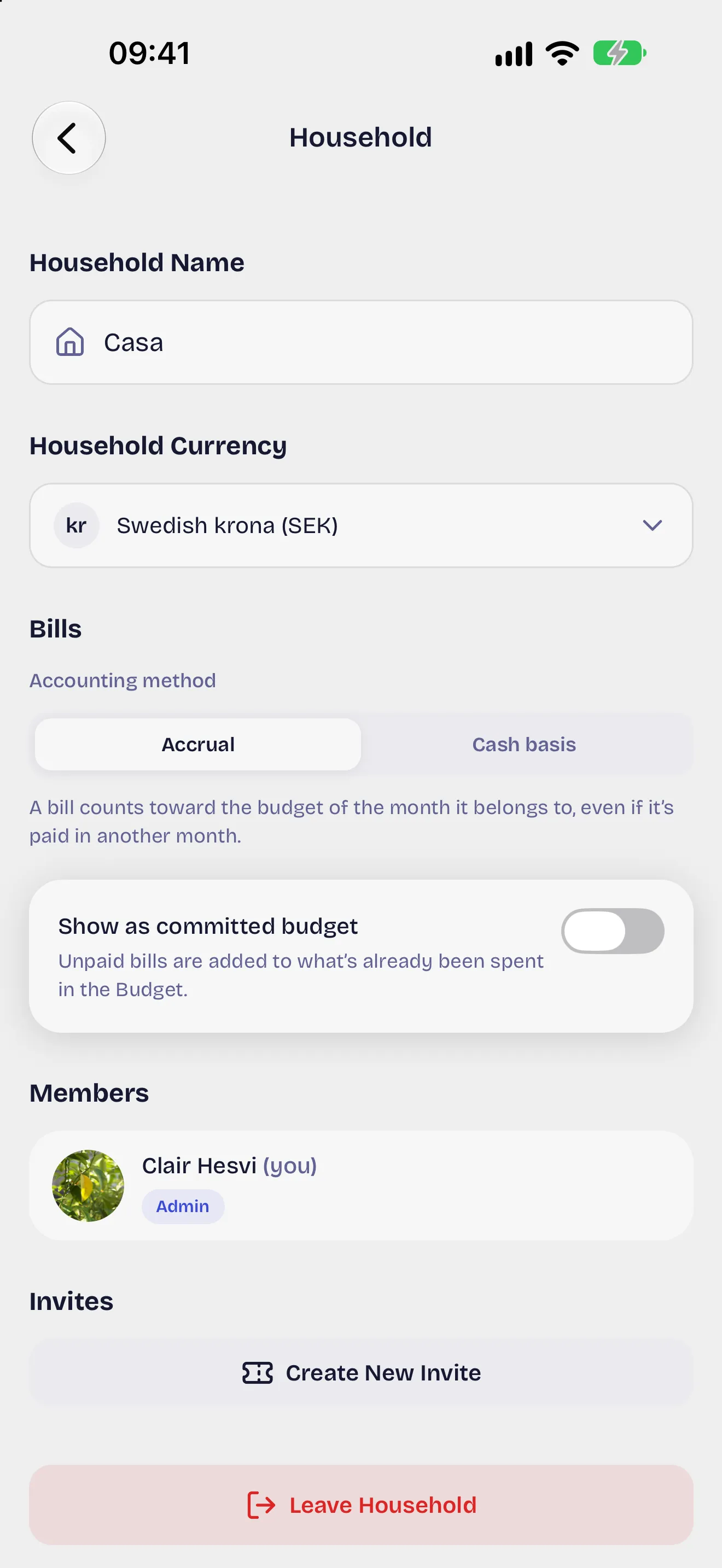
Currency, bill rules, members and invites in one place.
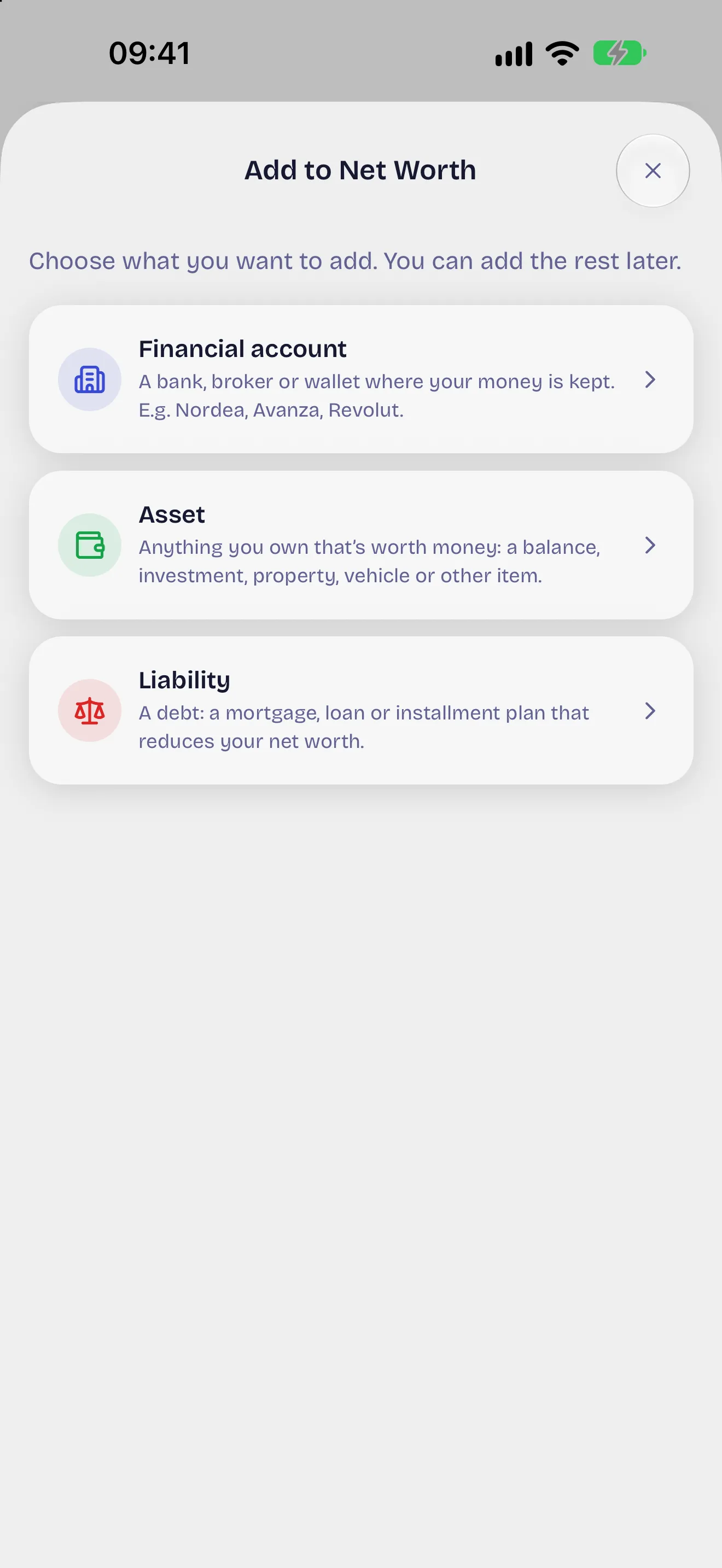
Accounts, assets and debts to track the household's net worth.
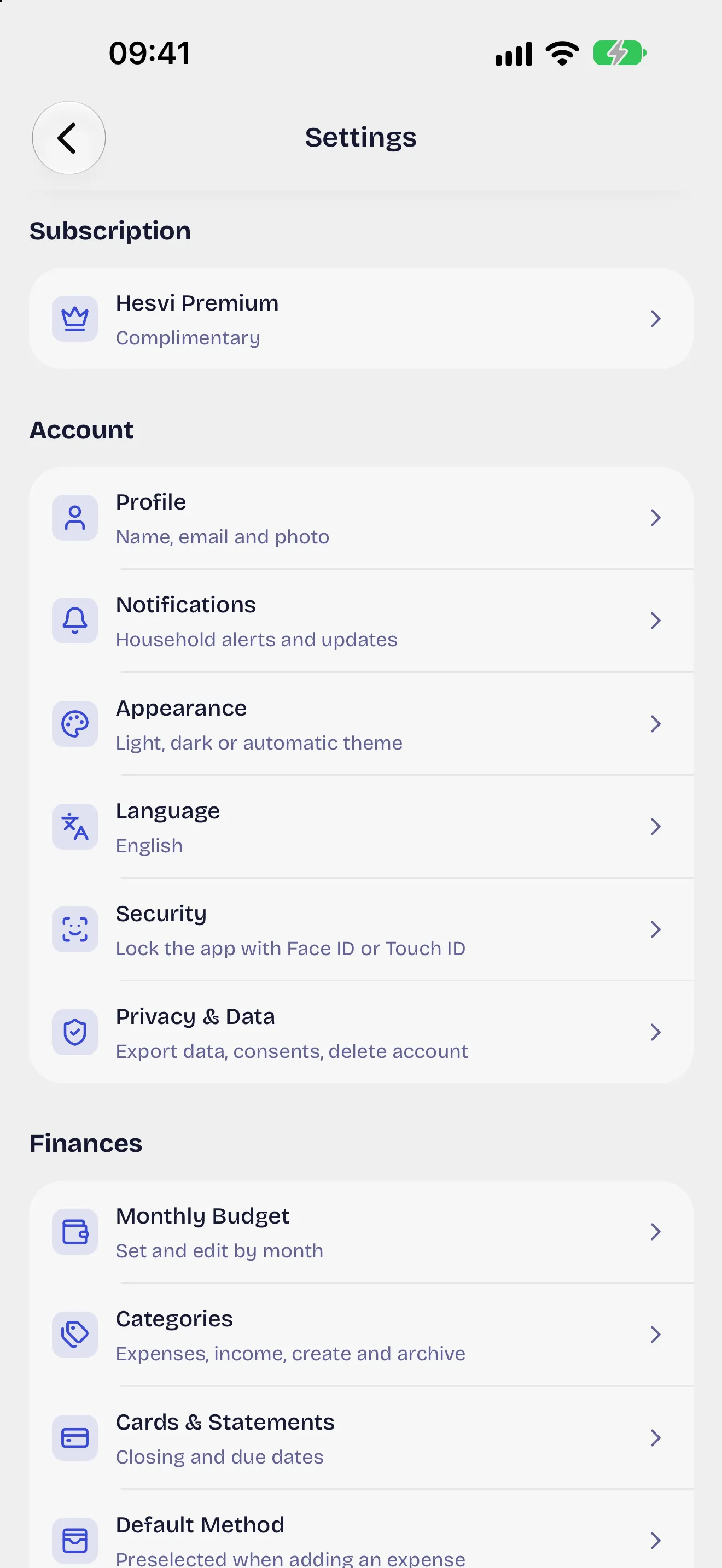
Profile, language, Face ID, notifications and privacy.
Features
Alerts at 50%, 80% and 100% of your budget, so you see the squeeze before it hits.
Amount, suggested category, save. An expense logged in under 5 seconds.
Rent, power, internet: due dates and recurring bills in one place.
Spending per person, how the month is trending and insights to decide together.
Follow each card’s billing cycle and how much is already on the statement.
Find any expense by month, category, person, date range or amount.
What’s due and what’s already gone out, day by day, in a single calendar.
Follow your household’s net worth over time, beyond the current month.
Made for iPhone
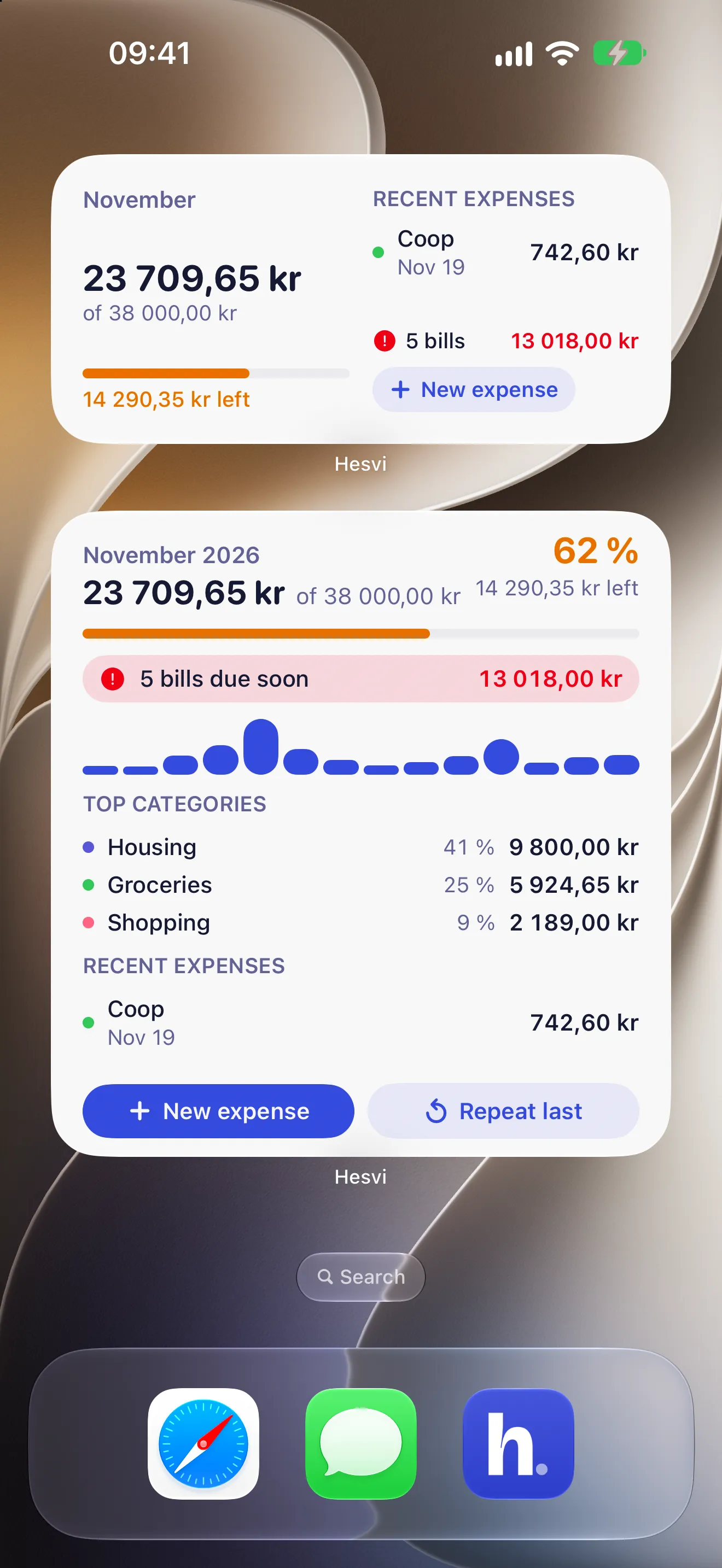
Budget, latest expenses and the month’s chart right on your Home Screen.
Monthly spending, remaining budget and upcoming bills in the Shortcuts app, ready to use.
Log an expense or check the budget straight from system search.
Light, dark or automatic, following your iPhone.
Privacy
Money is personal. Hesvi is built so that only the people in your household see what belongs to it.
Each household only sees its own data. The rule is enforced in the database, not just on screen.
Your session key is stored in the iPhone Keychain.
We never send amounts, names or anything you type to analytics tools.
Export or delete your data whenever you want, right in the app. Operated from Sweden, following the GDPR.
Plans
One Premium subscription covers the whole household: every member benefits.
The essentials to organize your finances.
For people who share a home and want the bigger picture.
Everything in Free, plus:
Pricing announced at launch · Join the waitlist
FAQ
We’re putting on the finishing touches. Join the waitlist and we’ll let you know as soon as it’s available.
For now, iPhone only. We want to nail the experience on one platform before moving to others.
Only the people in your household. Each household is isolated from the others, and we don’t use your amounts in analytics tools.
No. The Free plan covers the essentials for one person. To share your household with more people and unlock analytics, the calendar and net worth, there’s Premium.
Yes. Each member signs in with their own account on their own iPhone, so every expense shows who logged it.
It does. Hesvi works for any home that shares expenses: couples, families or friends sharing an apartment.
Yes. You choose the household currency when you create it, and everyone uses the app in their own language.
Join the waitlist and be among the first to use Hesvi.